

TL;DR
A CAPTCHA challenge response is a security check where a website gives a user a task and checks the answer, behavior, or risk signals to decide whether the request comes from a human or a bot.
A CAPTCHA test can be visible, like distorted text or image selection. It can also be invisible, based on browser behavior, IP reputation, device signals, and interaction patterns.
CAPTCHA helps websites and email services block spam accounts, login attacks, fake form submissions, scraping, and automated abuse. For secure encrypted email providers like Atomic Mail, CAPTCHA matters because one wave of fake accounts can damage sender reputation, overload systems, and help attackers spread phishing or spam.
The challenge is balance. A CAPTCHA test should stop bots without punishing real users, especially people who use VPNs, privacy browsers, or tracker blockers to protect their personal data.
What Is CAPTCHA Challenge Response?
What is a challenge response
Challenge response is a security method then one side asks for proof and the other side gives an answer.
What is a CAPTCHA
CAPTCHA means “Completely Automated Public Turing test to tell Computers and Humans Apart.” That means CAPTCHA is a test created to separate real users from automated programs.
Why Do Websites and Email Services Need CAPTCHA?
Websites need CAPTCHA because bots are fast, cheap, and relentless. They can create accounts, test passwords, scrape data, submit forms, and attack login pages at a scale humans cannot match.
A CAPTCHA test adds friction where abuse usually happens.
- Blocking spam signups and fake accounts: Fake accounts are often the first step in abuse. Attackers use them for spam, phishing, scraping, scams, and reputation attacks. Nobody wants a database flooded with a million rogue profiles.
- Preventing credential stuffing and brute-force login attempts: Credential stuffing means attackers try leaked email-password pairs on other services. Brute force means they guess passwords repeatedly. Both attacks depend on speed, but CAPTCHA slows them down.
- Reducing automated abuse, scraping, and bot-driven attacks: Bots can flood contact forms, scrape public pages, abuse free trials, trigger password reset emails, overload endpoints, and many more.
- Protecting real users from polluted, unsafe, or overloaded platforms: Platforms fill with spam, support teams drown in fake requests, and legitimate emails may face deliverability problems. CAPTCHA helps keep services cleaner.
Main Types of CAPTCHA and How They Work
Since hackers adapt and technology evolves, the CAPTCHA test has mutated into dozens of different forms over the years.
Text CAPTCHA
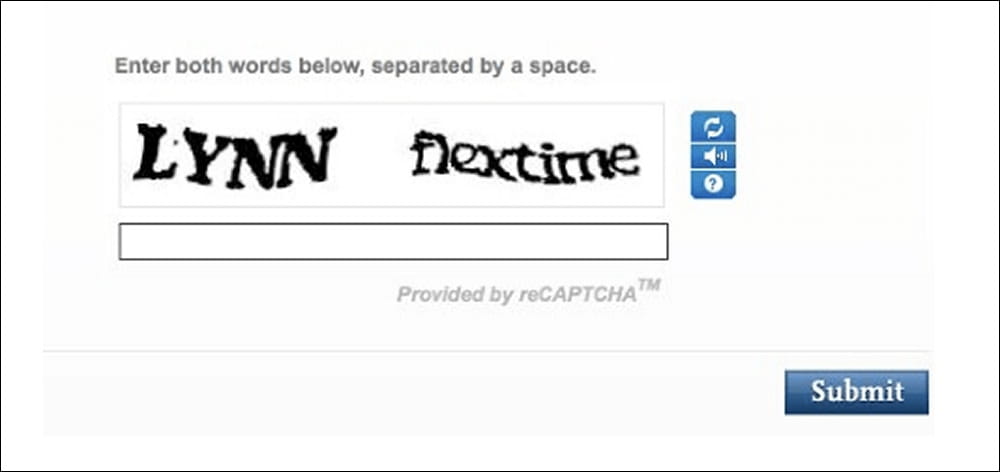
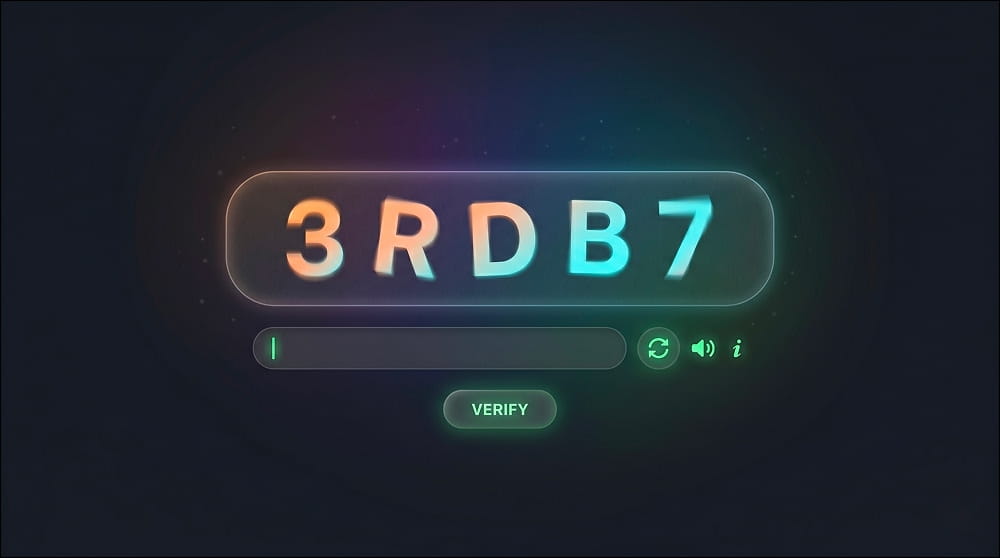
Distorted letters and numbers: The classic squiggly text on a chaotic background.
Why it was popular: Text CAPTCHA was easy and cheap to build, easy to add to forms, and effective against early spam bots. It worked well when automated image recognition was much weaker.
Why it became easier for bots to beat: Modern Optical Character Recognition (OCR) got terrifyingly good. Today, a basic Python script can decipher those warped letters faster and more accurately than an optometrist.
Image CAPTCHA
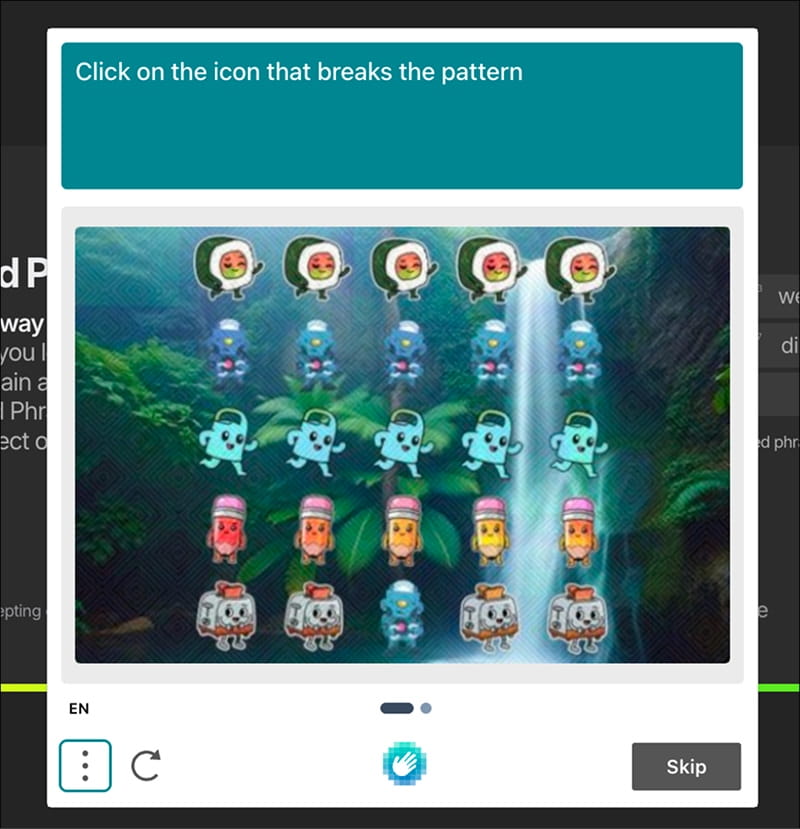
“Select all traffic lights” and similar tasks: Image CAPTCHA asks users to select images that match a prompt.
How visual recognition challenges work: The system compares selected images with expected labels and often checks behavior too: timing, clicks, browser signals, and session risk.
Why they can frustrate users: Image CAPTCHA can be unclear. Does a tiny corner of a traffic light count? Is that a bus or a van? It can also be hard on small screens, slow connections, and users with visual impairments.
Audio CAPTCHA and accessibility alternatives
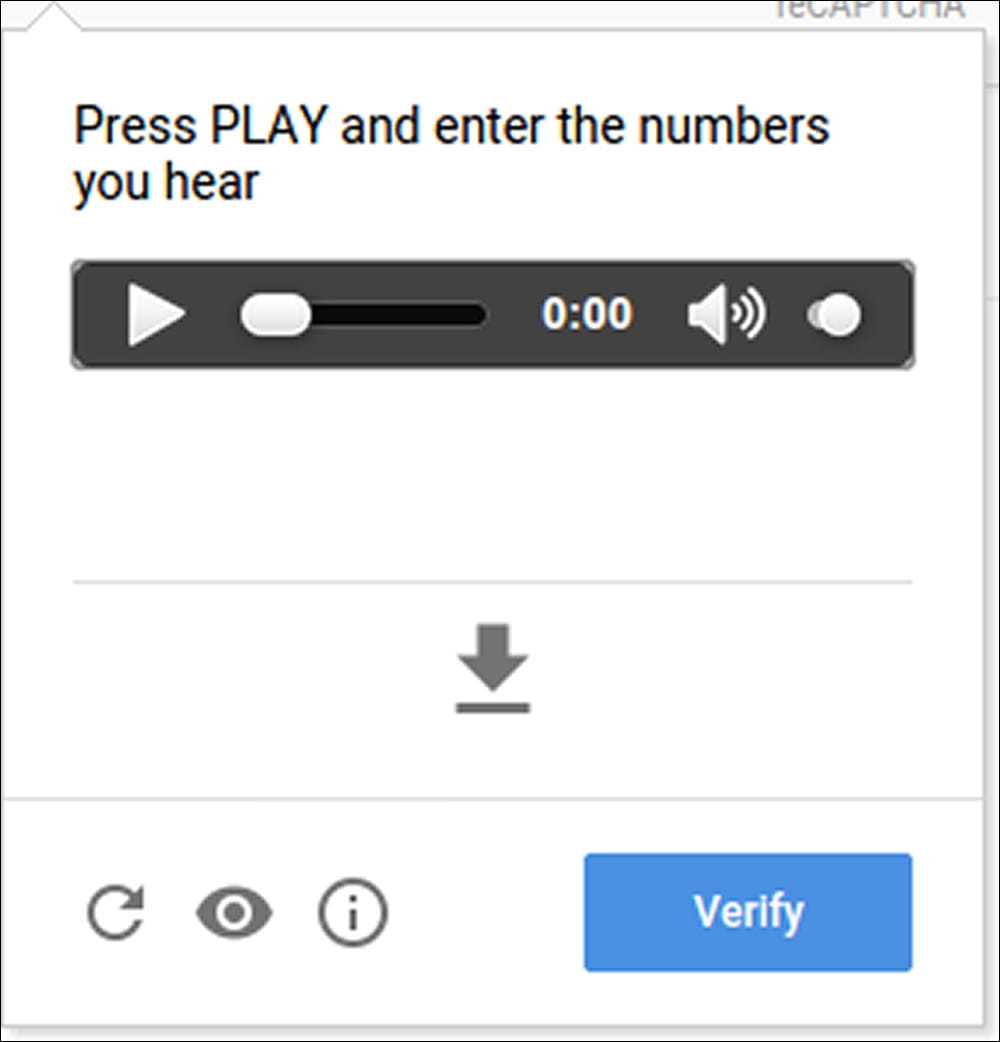
Audio CAPTCHA gives users a non-visual way to pass a CAPTCHA test.
Spoken numbers or words: The system plays numbers, words, or phrases. The user types what they hear. Background noise may be added to make automated transcription harder.
Accessibility purpose: Visually impaired users cannot click on fire hydrants. They need an audio alternative to access the web.
Common limitations: Audio CAPTCHA can be difficult for users with hearing loss, noisy environments, unfamiliar accents, or low-quality speakers.
Math and logic CAPTCHA
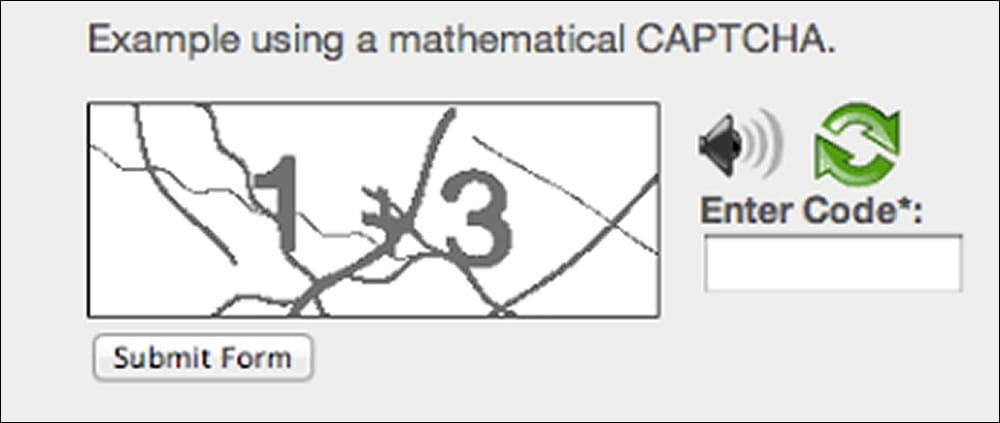
Simple questions and puzzles: Math and logic CAPTCHA asks simple questions like "What is 3 + 4?" or "Type the word 'Apple' backwards." The user answers, and the system checks the response.
Where they still work: They can stop very basic bots on small websites, contact forms, or low-risk pages. They are simple, lightweight, and do not always need third-party scripts.
Why they are weak against advanced bots: Modern bots and AI tools can solve simple math and logic very quick.
Checkbox CAPTCHA
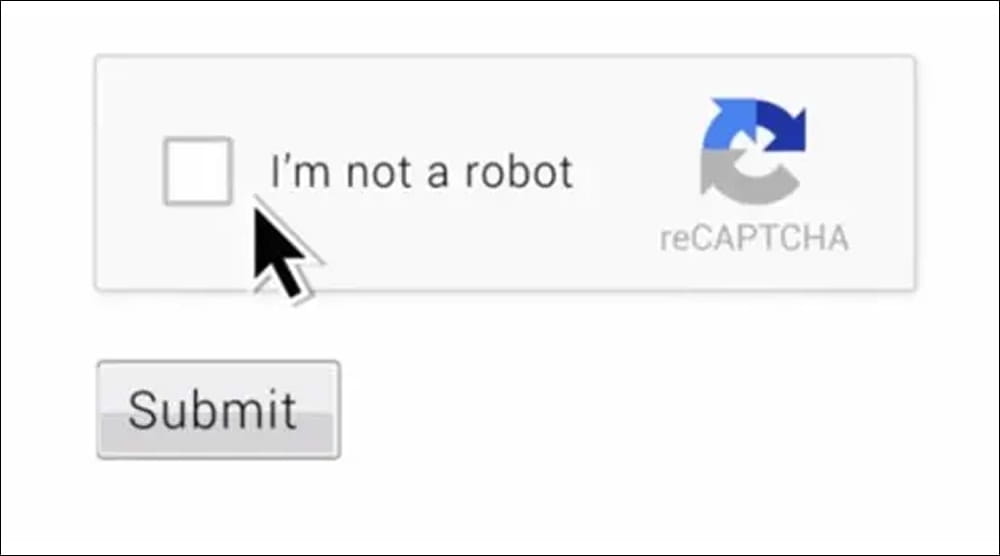
Checkbox CAPTCHA uses a simple “I’m not a robot” action.
“I’m not a robot”: Just a little checkbox. That looks simple, but the CAPTCHA test often checks more than the click. It may inspect timing, browser behavior, cookies, JavaScript execution, and other risk signals.
Why the checkbox is not really the whole test: Bots can click boxes. The real question is whether the whole session looks human. A trusted session may pass instantly. A suspicious one may get an image CAPTCHA or another challenge.
How behavior and browser signals matter: CAPTCHA systems may look at mouse movement, typing rhythm, browser integrity, IP reputation, and device signals. This improves bot detection, but it can create privacy concerns when too much data is collected.
Behavior-Based and Risk-Based CAPTCHA
Mouse movement, typing patterns, device reputation, IP signals: A big surveillance dragnet running in the background of your webpage.
How this affects privacy-conscious users: VPNs, Tor, tracker blockers, hardened browsers, and cookie clearing can reduce the signals CAPTCHA systems use. That can make privacy-conscious users look suspicious, even when they are legitimate.
Privacy-Friendly CAPTCHA Alternatives
Proof-of-work: Your browser silently solves a complex cryptographic puzzle in the background. It costs a tiny bit of computing power, but zero personal data.
Passkeys and device-based verification: Passkeys use cryptographic authentication and are stronger for login protection than CAPTCHA. A CAPTCHA test asks, “Does this look human?” A passkey proves control of a private key.
Why CAPTCHA Gets Triggered
A CAPTCHA test appears when a website sees risk. Here are the main tripwires:
- Too many login or signup attempts: Many failed logins can mean credential stuffing. Many signups can mean fake account creation.
- Suspicious IP address, VPN, Tor, or proxy usage: CAPTCHA may appear if an IP has a bad reputation or comes from a shared VPN, Tor exit node, or proxy.
- Unusual browser or device signals: Missing cookies, blocked scripts, strange user agents, mismatched time zones, or anti-fingerprinting settings.
- Automated behavior patterns: Bots submit forms too fast, repeat exact actions, skip normal browsing steps, or send requests without loading pages properly. CAPTCHA interrupts that pattern.
- High-risk actions: password reset, mass registration, repeated form submissions, spamming a submit button, and so on.
Why privacy tools can sometimes make users look “bot-like”
VPNs, Tor, tracker blockers, hardened browsers, and cookie clearing hide signals that CAPTCHA systems often use. That can make privacy-conscious users look suspicious.
Pros And Cons Of CAPTCHA Challenge Response
CAPTCHA is useful, but imperfect. It blocks abuse, yet can also block or annoy real users.
The undeniable benefits
- Reduces spam and fake accounts. It keeps the database clean.
- Protects login pages from automated attacks.
- Keeps platforms cleaner and safer.
- Helps defend infrastructure from abuse.
- Adds a security layer without requiring users to share more personal data.
The drawbacks
- Annoying for real users: CAPTCHA interrupts the flow. If it appears too often, users abandon signup, login, or recovery.
- Accessibility issues. Visual/audio CAPTCHA can block users with low vision/hearing difficulties.
- Can block VPN, Tor, or privacy-focused users.
- Not always effective against advanced bots.
- May involve third-party tracking or data collection.
It should appear only when needed.
Can Modern Bots And AI Pass CAPTCHA?
Yes, some can. CAPTCHA is no longer a simple “humans pass, bots fail” test.
What changed with modern technologies: AI, agents, bots
Bots now use AI, headless browsers, residential proxies, automation frameworks, and human-solving services. They can imitate normal browsing better than old scripts.
Text CAPTCHA is easier for OCR, image CAPTCHA is easier for machine vision. Simple puzzles no longer stop advanced attackers reliably.
How machine learning improved bot-solving abilities
We trained the AI. Every time millions of users clicked on a "motorcycle" to pass a CAPTCHA test, we were feeding massive datasets into neural networks. Now, computer vision agents instantly map and identify objects in a grid.
Human CAPTCHA farms and hybrid attacks
When the AI fails, the attackers cheat. Hackers route the toughest puzzles to human "sweatshops" in low-income regions. Real people sit at desks, solving thousands of puzzles an hour for fractions of a penny. The bot encounters a challenge, instantly forwards it to a human worker, waits for the response, and injects it back into the login form.
What this means for users and security teams
CAPTCHA should be one layer, not the whole defense.
Secure systems combine CAPTCHA with rate limits, abuse monitoring, strong authentication, proof-of-work, and careful risk checks.
How to Pass CAPTCHA Without Lowering Your Security
A CAPTCHA test can be annoying, but you should not weaken your security just to pass it. The goal is simple: prove you are human without exposing more data than needed.
- Keep your browser updated: Use the latest browser version. It reduces false triggers and protects you from known vulnerabilities.
- Avoid repeated failed attempts: Repeated failed logins, signup retries, or password reset requests can trigger CAPTCHA. Check your password, email address, and connection before trying again.
- Check VPN or proxy reputation: Try another VPN server if every page shows a CAPTCHA test. Avoid “free proxy” services; many are already flagged for spam, scraping, or bot traffic.
- Enable cookies only when necessary: You do not need to accept every tracker online. But if a CAPTCHA keeps failing, allow essential cookies for that site, complete the check, then return to your normal privacy settings.
- Use legitimate account recovery methods: If CAPTCHA appears during password reset, use the official recovery flow only. Do not search for shortcuts, third-party unlock tools, or “CAPTCHA bypass” pages. Those often lead to phishing or malware.
- Do not use CAPTCHA-solving extensions or suspicious tools: CAPTCHA-solving extensions can collect browsing data, inject scripts, or route your activity through unknown services. If a tool promises to bypass every CAPTCHA test, treat it as risky.
FAQ: CAPTCHA Challenge Response
What does CAPTCHA stand for?
Completely Automated Public Turing test to tell Computers and Humans Apart. CAPTCHA is a test that helps websites separate real users from bots.
What is a CAPTCHA challenge response?
It is the process where a website gives a challenge and checks your response. The challenge may be text, images, audio, a checkbox, or invisible risk scoring. The response may be your answer, your click, or your behavior during the session.
Why do I keep getting CAPTCHA?
You may keep getting CAPTCHA because your activity looks risky to the website. Common reasons include repeated login attempts, VPN use, blocked cookies, strict privacy settings, suspicious IP reputation, or fast form submissions.
Is CAPTCHA safe?
CAPTCHA can be safe when it is used carefully. The concern is not the idea of CAPTCHA itself. The concern is how much data the CAPTCHA provider collects and whether the website relies on third-party tracking.
Can CAPTCHA track me?
Some CAPTCHA systems may collect browser, device, network, and behavior signals to detect bots. That is why privacy-focused services should choose CAPTCHA methods carefully and avoid unnecessary data collection.
Why does CAPTCHA appear when I use a VPN?
VPNs often use shared IP addresses. If other users abused the same IP, websites may treat it as suspicious. That can trigger a CAPTCHA test even when you are doing nothing wrong.
Can bots solve CAPTCHA?
Yes, some bots can solve some CAPTCHA tests. Simple text, math, and image CAPTCHA systems are weaker than they used to be. Attackers can also use human CAPTCHA-solving farms.
Can AI pass CAPTCHA now?
AI can pass some CAPTCHA challenges, especially ones based on text recognition, image classification, or audio transcription. That is why modern CAPTCHA is moving toward risk scoring, behavior analysis, rate limits, and layered abuse protection.
What is the difference between CAPTCHA and reCAPTCHA?
CAPTCHA is the general security concept. reCAPTCHA is a specific CAPTCHA service created by Google. It may use checkboxes, invisible checks, image tasks, and risk scoring depending on the version and setup.
Are there privacy-friendly CAPTCHA alternatives?
Yes. Alternatives include proof-of-work, rate limiting, passkeys, email verification, device-based trust, and risk-based checks with minimal data collection. No method is perfect. The best approach depends on the threat.
Why do email services use CAPTCHA?
Email services use CAPTCHA to stop fake signups, spam accounts, credential attacks, and password reset abuse. For secure email providers like Atomic Mail, CAPTCHA helps protect real users, sender reputation, and inbox deliverability.
Does CAPTCHA mean my account is under attack?
Not always. A CAPTCHA test means the system detected risk. It could be failed login attempts, your VPN IP, browser settings, or unusual activity. It does not automatically mean your account was breached.
How can I avoid repeated CAPTCHA checks?
Use an updated browser, avoid rapid repeated attempts, keep essential cookies enabled for trusted sites, and switch VPN servers if one IP triggers CAPTCHA constantly.
Is CAPTCHA enough to protect an email account?
No. CAPTCHA is only one layer. A secure email account also needs strong encryption, a strong password, safe recovery, login monitoring, rate limits, and so on.