

TL;DR
What it is: YouTube AI age verification that starts with an algorithm, not your birthday. It uses age estimation to guess whether you’re under 18 from signals like what you watch, then automatically applies teen protections.
How it works: If it flags you as under 18, age-restricted videos can be blocked and your experience can change. If you’re an adult and it’s wrong, the fix is completing the official age verification flow.
The privacy split is simple: the AI layer is behavioral inference, but the proof layer (ID/card/selfie) is where identity risk and retention questions show up. Even if images are deleted, verification records and metadata can still persist.
The risks: Verifying is dangerous. It permanently links your private watch history to your legal identity. As we saw with the massive 2025 Discord/5CA data breach (where 70k+ IDs were leaked), these verification databases are prime targets for hackers.
How to bypass it: You can’t switch off YouTube AI age verification. But don’t rush to upload your ID – there are safer options and a few practical steps to avoid unnecessary prompts, covered in the final sections of this article.
The big picture: The "Open Web" is dying, replaced by a "Credentialed Web" where you must prove who you are to exist online.
Your next move: You can't control YouTube, but you can control what services you use. Don't let Big Tech strip-mine your identity. Sign up for Atomic Mail and get a private email account that actually protects your identity.
What YouTube AI Age Verification Is
YouTube AI age verification is like a continuous surveillance system. It is a background process running on Google’s servers that analyzes your digital footprint in real-time. Instead of asking "How old are you?", the AI analyses your behaviour and decides for itself. It creates a "confidence score" based on your behavior. If that score drops below a certain threshold (say, the algorithm detects patterns suggesting you’re a 15-year-old), the content cuts.
What is YouTube trying to prevent?
Officially, they are trying to protect children from "harmful content" (graphic violence, adult themes, or even aggressive marketing). Unofficially, they are building a verified, identitarian web where every set of eyeballs is linked to a legal identity.
It is the exact same playbook driving the new ChatGPT age verification protocols: officially a shield for safety, but unofficially a mechanism to strip away the anonymity of every user interacting with AI.
Age estimation vs. age verification
- Age estimation is the AI part that scans your session to guess your age (“under 18” or “over 18”). No ID required.
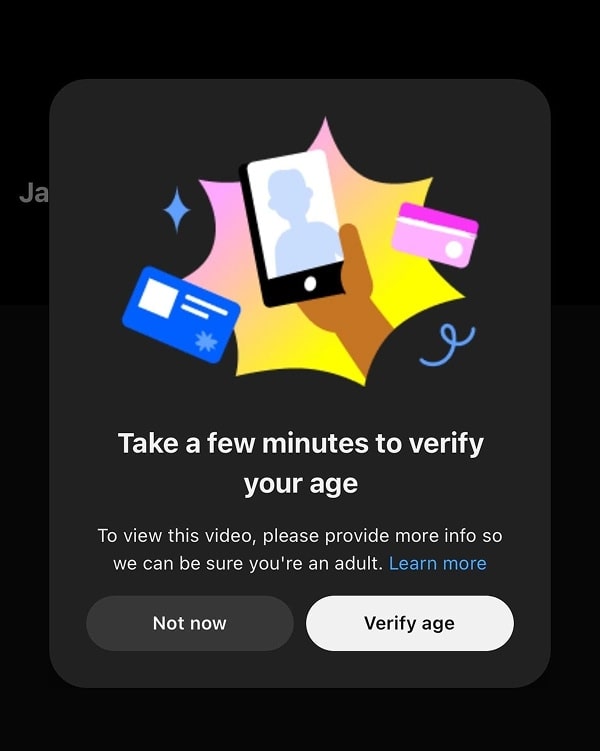
- Age verification is the human-proof part. If the AI flags you as a "potential minor," you are forced to provide "Hard Proof": a credit card, a physical ID (passport/driver’s license), or a biometric face scan.
How the AI "Thinks"
Nobody outside YouTube gets the full architecture. But the behavior of systems like YouTube AI age verification is familiar if you’ve ever built models or defended them.
Google has decades of data on how different demographics interact with technology. YouTube AI age verification algorithms probably look at:
- Content consumption: It analyzes vocabulary in search queries and engagement with content typical of younger demographics (e.g., specific gaming titles, Shorts).
- Account metadata: While older accounts should theoretically belong to adults, the AI prioritizes recent behavior to detect shared devices (e.g., a parent letting a child use their account).
- Behavioral biometrics: It evaluates interaction speeds (typing, scrolling) and usage times (e.g., school hours) to guess age.
Enforcement and restrictions
When YouTube AI age estimation thinks you are under 18, YouTube protections can apply automatically.
YouTube lists changes like:
- Disabling personalized ads
- Turning on digital wellbeing tools
- Adding safeguards to recommendations, including limiting repetitive views of some kinds of content
- Disabling some features like Autoplay
- Blocking of live stream gifting
Why YouTube Is Doing This Now
The “safety” case
YouTube argues that kids lie about their birthdays. By shifting to behavioral estimation, they claim to catch the 12-year-old posing as a 25-year-old.
It’s a compelling argument – no one wants kids watching graphic violence. But the solution (treating every user as a suspect until they show you their docs) is a massive overreach.
The compliance case: global legislative drivers
YouTube AI age verification is part of a broader shift: social media age verification is becoming infrastructure. Not everywhere, but the direction is obvious.
- UK: The Online Safety Act mandates "highly effective age assurance" to prevent minors from accessing harmful content, with fines up to 10% of global turnover.
- EU directives (AVMSD & DSA): Treat video platforms like broadcasters, requiring strict age gating. Investigations into YouTube's protocols in late 2025 increased pressure to adopt these measures. The EU is also funding a "Digital Identity Wallet" for standardized verification by 2026.
- Germany: The KJM requires "Closed User Groups" where adult access is verified via certified methods (e.g., facial estimation or digital ID), rejecting simple "I am 18" buttons.
- USA: The Kids Online Safety Act (KOSA) has forced platforms to adopt a "duty of care."
- Australia: Strict laws banning social media for under-16s (Dec 2025) effectively mandate universal age verification to filter out prohibited users.
- Canada: Bill S-209 promotes "age estimation" over ID uploads to balance safety with privacy.
When it started: The rollout timeline
2020-2023: The quiet rollout in Europe. Users in the EU began seeing ID prompts due to the AVMSD. Most of the world ignored it as a "European regulation thing."
Early 2025 (AI Pilot): YouTube began testing AI "age estimation" to identify minors based on behavior rather than birthdate.
August 13, 2025 (US Rollout): The AI system went live for general US users, aligning American standards with stricter European regulations.
Late 2025-2026 (Global): Expansion continues into jurisdictions with new safety laws, such as Australia and Canada.
Is It Safe? Privacy, Security, And Data Retention
The short answer? No.
While the intent of YouTube AI age verification is child safety, the mechanism is a privacy nightmare. To prove you are an adult, you must feed a system that builds massive databases of government identities and biometrics.
What you may be asked to submit
To bypass the YouTube age verification block, you must submit one of three things:
- Government ID: A scan of your driver’s license or passport.
- Credit card: A $0.00 authorization transaction to verify banking history.
- Facial scan: A "selfie" analyzed by AI (often outsourced to third parties).
Google claims these images are "stored securely" and "deleted after verification." But in the corporate world, "deletion" is a tricky word. It often means the image is gone, but the metadata (the log that User X verified with ID #123) remains. In countries with strict social media age verification laws, Google may be legally forced to keep these logs indefinitely.
The third-party risk: the Discord/5CA precedent
A critical vector of risk is not necessarily Google itself, but the supply chain of verification vendors. In October 2025, a catastrophic breach involving Discord and their third-party verification vendor, 5CA, highlighted the dangers of outsourced age verification.
Cybercriminals breached 5CA’s systems, and more than 70,000 government ID photos and verification selfies were leaked directly onto the dark web.
This proves that even if the platform is secure, the supply chain is not. YouTube AI age verification creates a "honeypot" – a centralized target so valuable that hackers will never stop attacking it.
Biometric liabilities and deepfakes
As age verification becomes mandatory, criminals are adapting. Verification providers like Yoti reported a big spike in "injection attacks" – where hackers feed deepfakes into the camera stream to trick the AI. In 2025 alone, these attacks jumped from 1,000 to 6,000 per day. This means platforms will soon demand even more invasive checks (like 3D face maps) to prove you are human.
EFF’s blunt take is worth reading too: age verification raises identity-theft and surveillance risks.
The real-world risks checklist
If you choose to verify, you are accepting these risks:
- ID/selfie leaks: If the verification database is breached, your Passport/ID is compromised forever.
- Doxing: Leaked "verification selfies" (holding your ID) are highly sought after by blackmailers.
- Permanent linkage: Your anonymous viewing habits are now tied to your legal name.
- False deletion: Metadata logs may persist for legal compliance even after you "delete" your data.
- Biometric exposure: Once your facial map is stolen, it cannot be reset like a password.
How To Avoid YouTube AI Age Verification
How to avoid YouTube AI age verification (5 legit ways)
You cannot switch the AI off. You can limit how much it sees, and in some cases avoid the check entirely.
1. Watch while signed out
The AI works on your account. In a private window without signing in, you have no account history to score. Downside: age-restricted videos still ask you to sign in, and you lose your subscriptions.
Best for: casual viewing without building a profile.
2. Use a VPN
The rollout depends on your region, and YouTube reads your region from your IP address. A VPN replaces your IP with a server's IP in another country. Connect to a country where the AI rollout hasn't started yet, and your session no longer sits in the enforcement zone.
Be honest with yourself about the limits:
- Signed in, the account matters more than the IP. If your account is already flagged, a VPN may not remove the flag. It works best signed out or on a new account.
- Pick the country carefully. Avoid servers in the countries where the model already runs: the US, UK, EEA, Switzerland, Canada, Australia, Brazil, Turkey, the UAE, Singapore, Malaysia and Indonesia. The list grows, so check YouTube's help page.
- Avoid free VPNs. Many of them log and sell the browsing data you're trying to protect.
Atomic VPN fits this use case:
- 88+ countries to pick a server outside the enforcement zones
- Strict no-logs, RAM-only servers, so there is no history to hand over
- WireGuard by default, fast enough for 4K streaming
- Pay with crypto, including Monero, if you don't want your card on file
- Apps for Windows, macOS and Android (iOS coming soon), from $2/month on the annual plan
3. Use a privacy frontend (Invidious, Piped)
Invidious and Piped are open-source viewers that load YouTube videos through their own servers. YouTube sees the server's IP, not yours, and there is no Google account to score. Downside: public instances break often when YouTube changes something.
4. Keep your YouTube account boring for the AI
If you share a device with kids, give them their own profile or a supervised account. Mixed viewing is the classic reason adults get flagged.
5. If you must verify, use the least invasive method
Pick the credit card over the ID. Use a virtual card if your bank offers one. Verify only on youtube.com or accounts.google.com, never through a link in an email or DM: phishing pages that copy the verification screen are already common.
What doesn't work (and can get you banned)
- Deleting your watch history. The flag stays on the account. Clearing history does not reset the model.
- "YouTube unlocker" apps and random user scripts. Many of them steal session cookies or inject adware. Browser extensions that claim to skip the check break with every YouTube update.
- Fake ID generators. Google checks image metadata. A fake ID risks a ban for fraud.
The bigger picture: the credentialed web
Age checks are moving from adult sites to every major platform. ChatGPT now runs the same playbook: see ChatGPT Age Verification: What to Do If It Asks for ID. Soon, logging in, commenting and watching may each require a verified identity. Zero-knowledge proofs and digital ID wallets could prove your age without exposing your data. Until then, every check is one more database with your passport in it.
You can't control YouTube. You can control which services know who you are.
Which way should you choose?
- You just want to watch without being profiled: sign out, or use a VPN with a server outside the enforcement zone.
- Your account is already flagged and you need it back: verify with a credit card, not an ID. Go only through the official Google pages.
- You care about the long term: move your sign-ups to services that don't ask for ID at all. Start with email and the network.
FAQ about YouTube age verification
Why is YouTube asking me to verify my age?
The AI estimated you're likely under 18 from your searches, viewing and account age. You get the prompt even if the birthday on your account says you're an adult.
Can I turn off YouTube AI age verification?
No. It runs on Google's servers. You can only satisfy it by verifying, or limit it by watching signed out or through a VPN.
Does a VPN bypass YouTube age verification?
Often, if you're signed out or on a fresh account and connect to a country where the rollout hasn't started. On an account that is already flagged, the flag usually stays. Avoid servers in the US, UK, EEA, Canada, Australia and the other countries on YouTube's list.
What happens if I ignore the verification prompt?
Your account stays in teen mode: no age-restricted videos, no personalized ads, Autoplay off and wellbeing tools on.
Is YouTube age verification safe?
Google says IDs and selfies are deleted after checking. Logs can remain, and vendor breaches like the 2025 Discord/5CA leak show the risk. A credit card exposes less than an ID or a selfie.
Does YouTube age verification need a selfie?
Not necessarily. A selfie is one of three options, together with a credit card and a government ID.
Can I watch age-restricted videos without verifying?
Not on a flagged account. Signed out, YouTube asks you to sign in. Privacy frontends like Invidious sometimes play them.
When did YouTube AI age verification start?
In the US, on August 13, 2025. By October 2026 it runs in the US, UK, EEA, Canada, Australia, Brazil and several Asian and Middle Eastern countries.
Do browser extensions bypass YouTube age verification?
Some work for a short time, then YouTube patches them. Many "unlocker" extensions are malware. We don't recommend them.
Privacy without paranoia
Every new check asks for more of you: a phone number, a face, a passport. Two places to start giving out less:
- Your network: Atomic VPN hides your IP and location, keeps no logs and costs from $2/month.
- Your inbox: Atomic Mail signs you up without a phone number, ID or real name, with end-to-end encryption and free aliases.