


Secure business email
on your own domain
Give every employee a professional address at your company domain, with end-to-end encryption and zero-access storage. Only your team and your recipients can read your mail. From $3 per user per month.

A private AI assistant for your team. Draft, summarise, research and create images — your prompts and files are never used for training.

A no-log VPN for every seat. Connect through it and your team's IP addresses and locations stay hidden.

What you get with
Atomic Mail Business
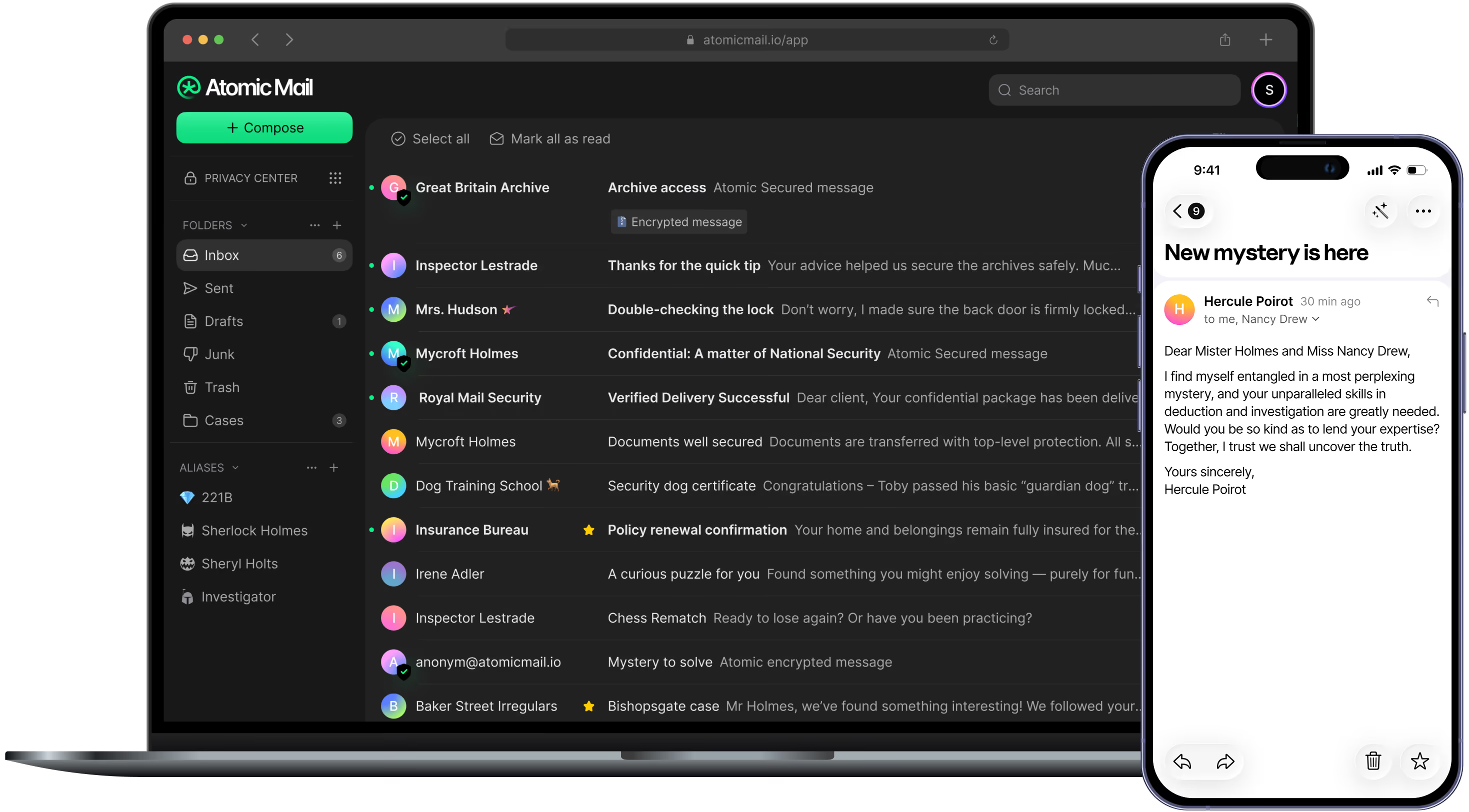
Everything a team needs from business email: your own domain, encryption we can't unlock, admin controls, and apps for every device.

End-to-end encrypted by default
Mail between your team is encrypted with ECIES and AES-256, with keys generated and held only on your team's devices. We never hold a readable copy.

Zero-access storage
Stored mail is encrypted so we have no technical means to read it, and nothing readable to hand over.

Email on your company domain
Send from you@yourcompany.com instead of a free address, with aliases like sales@ and support@. A custom domain is included on both Starter and Standard.

Admin controls for your team
Add and remove users, assign roles and permissions, and review a full activity audit log of who did what.

Private mail to anyone
Send password-protected or self-destructing email to clients on any provider, and undo a send that went out too soon.

No phone numbers required
Set up your organisation without phone numbers or personal details from staff. Accounts recover with a seed phrase instead.
More than a mailbox
Every seat comes with a private AI assistant and a no-log VPN — no add-ons, no separate invoices.
A private AI assistant that never trains on your data
Draft replies, summarise long documents, translate text and turn briefs into images with Atomic GPT. It runs separately from your mailbox and cannot access your email, and your prompts and files are never used to train AI models, ours or our providers'.
Encrypted mail deserves a private connection
End-to-end encryption protects what you write; Atomic VPN protects where you write from. Connect through Atomic VPN and networks, ISPs and recipients can't see your team's real IP address or where your people are working.
Business email pricing for teams
Need an enterprise solution for 100+ seats? Contact us
- 15 GB storage per user
- 5 aliases per user
- Custom domain
- End-to-end encryption
- Hide-my-email
- Analyze text images & files
- Agent & Deep research
- Image Generations
- No-log policy
- 88+ countries
- 5 devices
- 50 GB storage per user
- 10 aliases per user
- Custom domain
- End-to-end encryption
- 50 Hide-my-email addresses
- Unlimited Document uploads
- Unlimited Agent & Deep research
- Unlimited Image Generations
- No-log policy
- 88+ countries
- 5 devices
How to set up business email with your domain
Getting your team onto Atomic Mail Business takes minutes. All you need is a domain you own and access to its DNS settings at your registrar. Importing mail from another provider isn't available yet; it's on our roadmap.
1. Choose a plan and add seats
Pick Starter or Standard based on the storage, aliases and features your team needs. Start with a single seat if you're a freelancer or consultant and add people later.
2. Connect your domain
Add your business domain, then copy the DNS records Atomic Mail gives you into your registrar's settings:
- MX routes incoming mail for your domain to Atomic Mail.
- SPF lists the servers allowed to send mail as your domain.
- DKIM signs every outgoing message so recipients can verify it really came from you.
- DMARC tells Gmail, Outlook and Yahoo what to do with mail that fails those checks, which protects your domain from spoofing.
3. Create mailboxes and aliases
Add users, assign roles and set up shared addresses like info@, sales@ or support@. Registration needs no phone numbers or personal details from your staff.
4. Save recovery phrases and sign in
Each account is recovered with a seed phrase instead of a phone number. Because we don't hold your keys, this phrase is the only recovery route, so store it safely. Then sign in on the web or in the iOS, Android, Windows and macOS apps.
5. Turn on your security controls
Enable multi-factor authentication (TOTP or WebAuthn) for every user, set self-destruct timers on sensitive mail, and review the activity audit log whenever you need it.
What makes business email secure?
Most business email is encrypted in transit, then decrypted and stored on the provider's servers in a form they can read. Your contracts, invoices and client records sit there — accessible to the provider, to anyone who breaches them, and to whoever serves them a legal request.
Here's what actually secure looks like:
Keys only you hold. Encryption keys are generated and stored on your team's devices, never on our servers — so there's no readable copy on our side to leak or hand over.
Encrypted in transit and at rest. TLS 1.3 in transit plus AES-256 encryption at rest, so stored mail is protected too.
End-to-end between your team. Mail between Atomic Mail users is encrypted with ECIES and AES-256 before it leaves the sender's device, and only the recipient's device can decrypt it.
Control over access. Multi-factor authentication (TOTP and WebAuthn), role-based access control and a full activity audit log, so you know who can reach what.
Hidden IP and location with Atomic VPN. Connect through Atomic VPN and your team's IP addresses and locations stay hidden, as private as the message itself.
Atomic Mail vs Google Workspace
An honest side-by-side on who can read your mail, where it lives and what each service supports today, including where Google Workspace is still ahead. Compared on 24 September 2026 using Google Workspace's public documentation; Google's client-side encryption requires Enterprise Plus or Frontline Plus.

Why teams choose Atomic Mail for business email
Keys we don't hold
Encryption keys stay on your team's devices, by architecture rather than policy.
Data stored in the EU
ISO 27001-certified data centres in Germany, run by an Estonian company under EU law.
GDPR-compliant
Built for businesses handling EU personal data.
No profiling of your mail
We don't read, profile or sell your mail, and it is never used to train AI models.
Ad-free
A clean inbox with no advertising, ever.
Your own domain
Professional addresses on every plan.
Admin control
Role-based access and a full activity audit log.
Apps on every device
Web, iOS, Android, Windows and macOS, with the same encryption everywhere.
Get secure business email for your team
Here's what you get with Atomic Mail Business:
- Email on your domain — a custom domain on both plans, plus aliases like sales@ and support@
- End-to-end encryption — ECIES and AES-256 between your team, with keys only on your devices
- Zero-access storage — we have no technical means to read your stored mail
- TLS 1.3 and AES-256 — protection in transit and at rest
- Password-protected and self-destructing email — plus undo send
- Role-based access control — with a full activity audit log
- Multi-factor authentication — TOTP and WebAuthn
- Atomic VPN on every seat — connect through it and your team's IP address and location stay hidden
- EU jurisdiction — ISO 27001 data centres in Germany, GDPR-compliant
Atomic Mail Business is email built so that confidentiality doesn't depend on trusting your provider.

